Search products

Searching…

No products found. Try another name.

Start typing to find activities and tours.

B2B How to Top UP and buy instant ticket
B2B

B2B How to Top UP and buy instant ticket

Jun 28, 2026
17 Views

Training Guide: Wallet Top‑Up on HolidaySG B2B Portal 


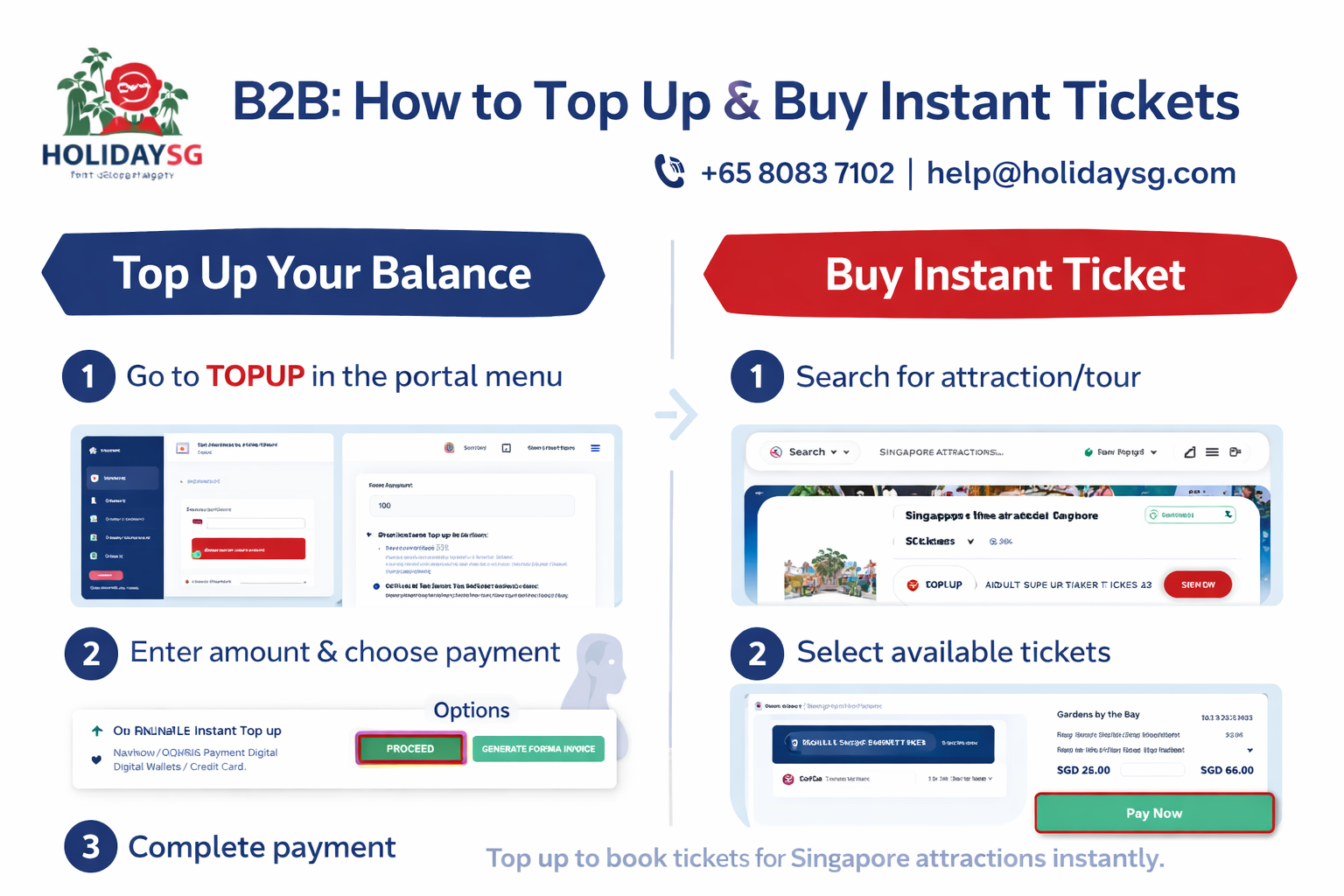
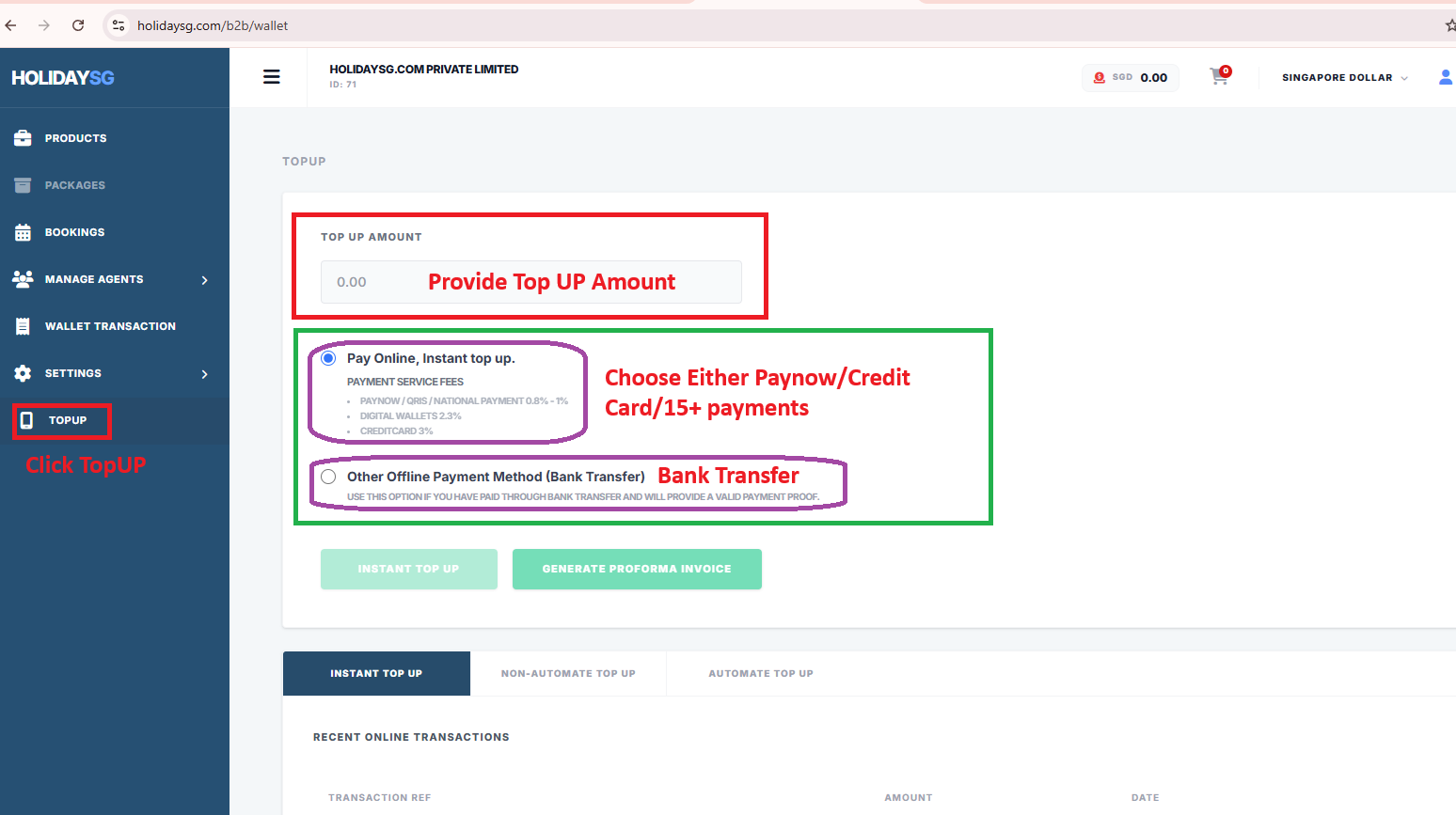
1. Navigate to Top‑Up

Log in to your B2B Partner Portal.

From the left menu, click TOPUP.


2. Enter Top‑Up Amount

In the Top Up Amount field, type the amount you wish to add (e.g., 500.00).

Ensure the amount matches your intended payment.


3. Choose Payment Method

You have two options:

OptionMethodNotes
Online Payment (Instant)PayNow / QRIS / National Payment (0.8–1% fee) Digital Wallets (2.3% fee) Credit Card (3-5% fee)Fastest option, balance updated instantly
Offline Payment (Bank Transfer)Bank transfer with valid proof of paymentUse if you already paid via bank transfer; upload proof


4. Complete Transaction

For online payment, click INSTANT TOP UP.

For offline payment, click GENERATE PROFORMA INVOICE and follow instructions to submit proof.


5. Verify Transaction

Check Recent Online Transactions at the bottom of the page.

Confirm your Transaction Reference, Amount, and Date are correct.


6. Support

If you face issues:

📞 Call: +65 8083 7102

📧 Email: help@holidaysg.com


🏦 Offline Wallet Top‑Up Guide


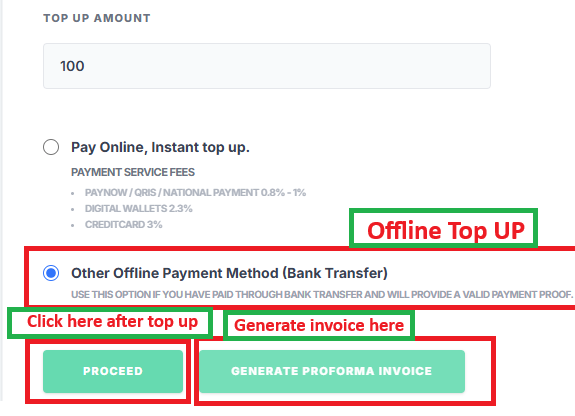
1. Enter Top‑Up Amount

Go to the TOPUP menu in your B2B portal.

In the Top Up Amount field, type the amount you want to add (e.g., 1000.00).


2. Select Offline Payment Method

Choose Other Offline Payment Method (Bank Transfer).

This option is for payments made via bank transfer.

You must provide valid proof of payment (e.g., bank transfer receipt).


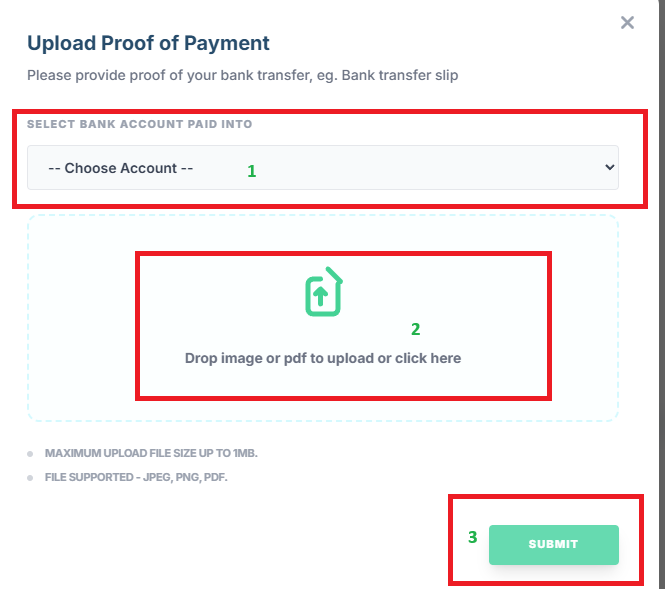
3. Submit Payment Proof

After completing your bank transfer, click PROCEED.

Upload or provide your payment proof to verify the transaction.

Alternatively, click GENERATE PROFORMA INVOICE if you need an invoice before making the transfer.


4. Confirmation

Once verified by HolidaySG support, your wallet balance will be updated.

You can check the Recent Transactions section to confirm the top‑up.


5. Support

If your offline top‑up is not reflected:

📞 Call: +65 8083 7102

📧 Email: help@holidaysg.com


✅ Best Practices

Always keep a copy of your bank transfer receipt.

Use Proforma Invoice for corporate records before making payment.

Allow some processing time for offline payments compared to instant online top‑ups.


#HolidaySG B2B #HolidaySG top up #buy instant tickets #Singapore attractions B2B #travel partner portal #HolidaySG wallet top up #corporate travel booking #B2B ticket purchase #Singapore tours #HolidaySG business login

Share this story: