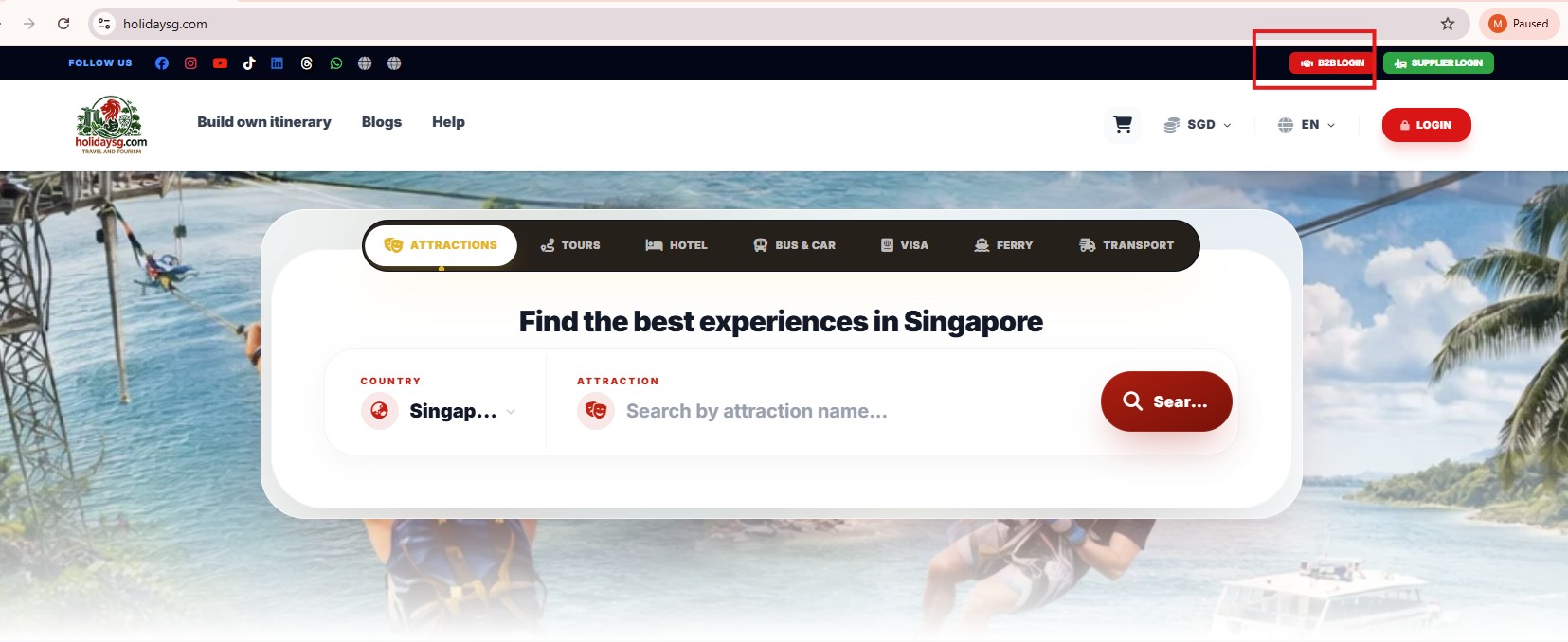
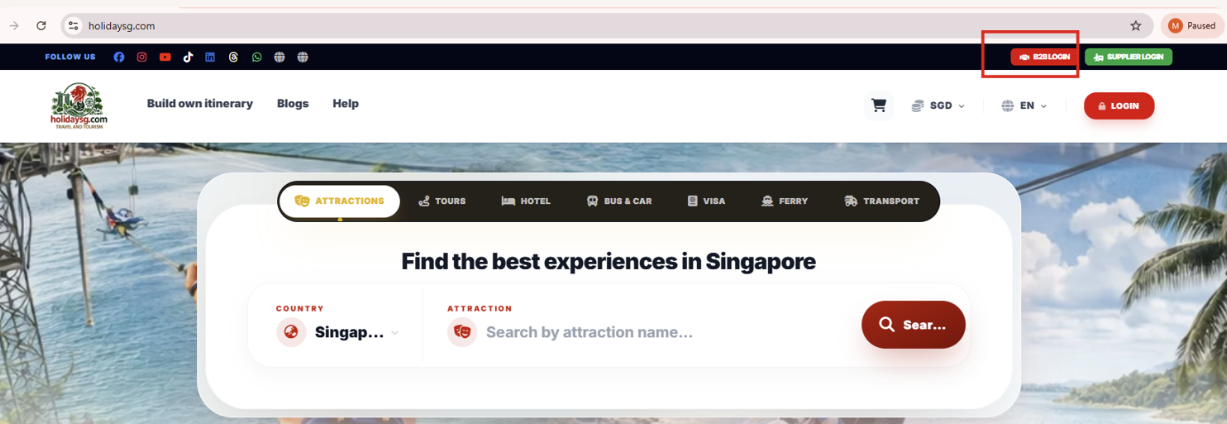
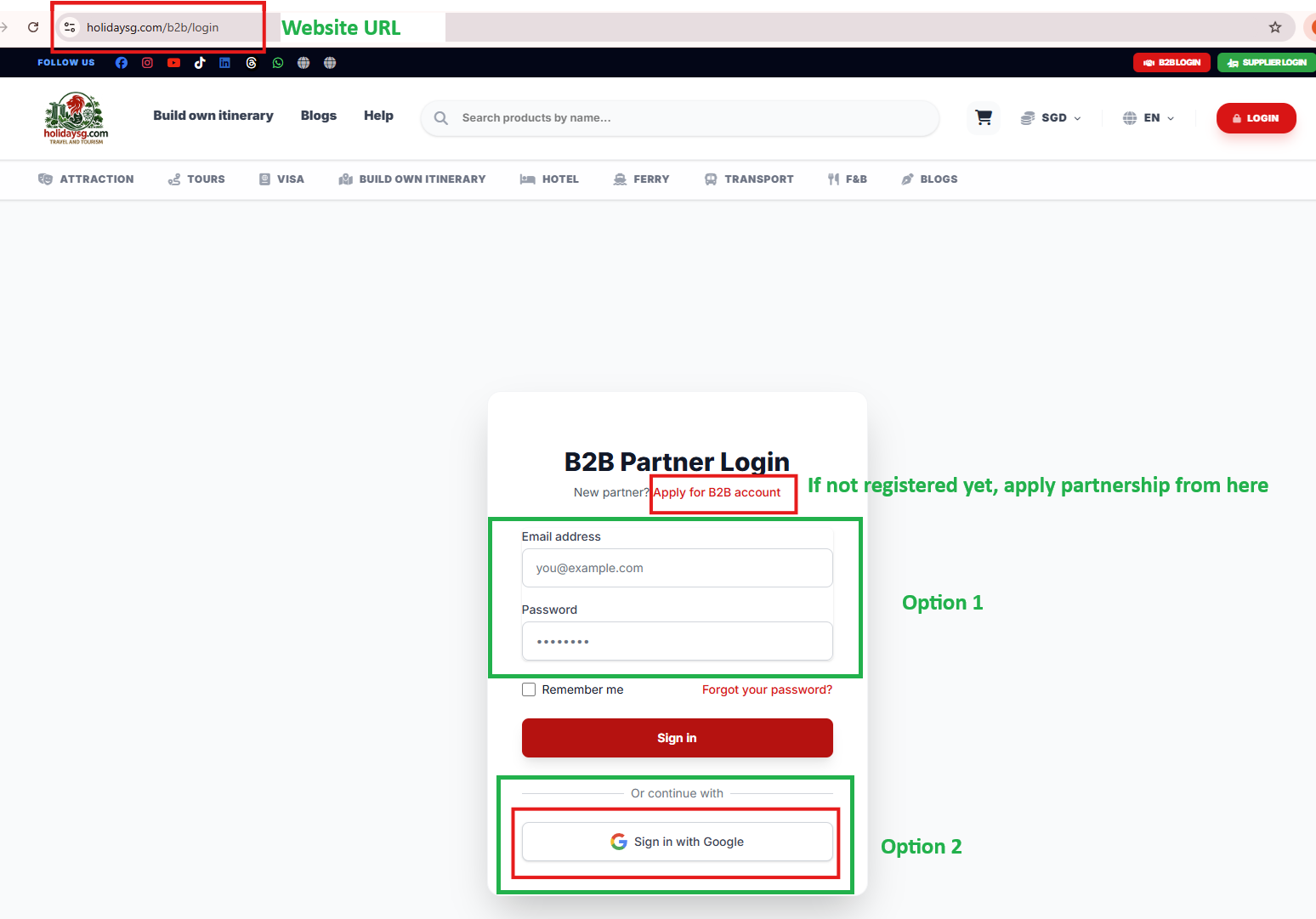
Always use your official business email for registration and login.
Keep your login credentials secure.
Use the Google sign‑in option if you prefer single sign‑on convenience.
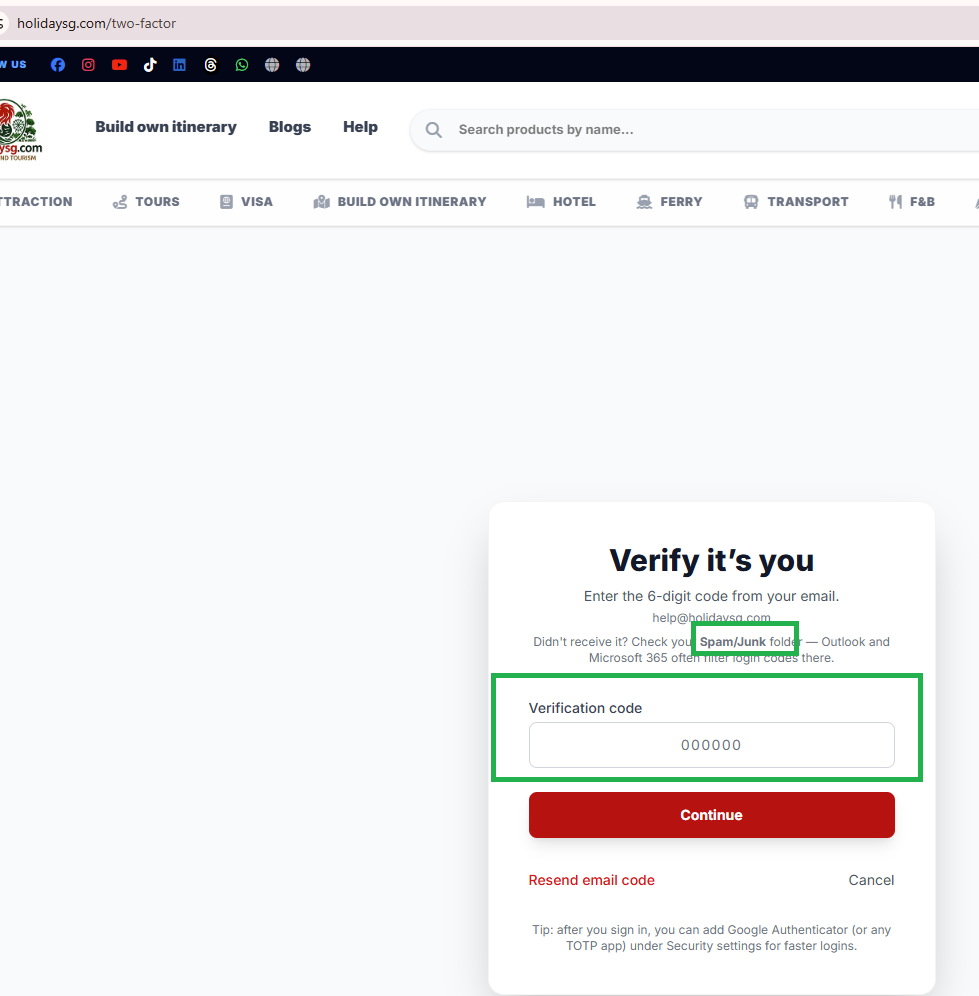
6. Two‑Factor Authentication (2FA)
Once your password is accepted, you will be prompted to enter a 6‑digit verification code.
This code is sent to your registered email (e.g., help@holidaysg.com).
Check your Spam/Junk folder if you don’t see the email in your inbox.
Click Resend email code if necessary.
Login → Password → 2FA → Access Granted.
If your login does not work
Almost every failed partner login comes down to one of these, in roughly this order:
The account is not approved yet. Applications are reviewed by a person. Until that is done the credentials will not sign in, even though they were accepted by the form. You will get an email when the account goes live.
You are on the customer login. Partner accounts sign in at /b2b/login, which is a separate door from the normal customer account page.
You are waiting on the sign-in code. A device we have not seen before is sent a short code by email before it is let in. Check the inbox for the address on the account, including spam.
The password is under eight characters. Partner accounts hold a wallet, so the minimum is eight; older short passwords need resetting.
A colleague has the account, not you. There is one account per company. If someone else at your company applied, ask them to add you under Staff rather than applying again.
If it was not you signing in
We email an alert when a new device signs in to a partner account, and that email carries a link that locks the account immediately. Use it if the sign-in was not yours — the wallet balance is real money.
What you land on after signing in
Section
What it does
Products & checkout
Live inventory at your partner rate, with a cart and checkout paid from wallet credit or by card.
Wallet / credit
Top up once, spend against the balance. Every movement appears on your statement.
Bookings & reports
Current bookings, full history and downloadable reports.
Ferry
Singapore–Batam and the other sectors we sell, re-priced on the server at your rate and paid from wallet.
Hotels
Hotel search and booking against your wallet balance.
Tour Package Builder
Build a multi-day client quotation and share it as a link or PDF. Quotations only — it never charges a card.
Packages & distribution
Create your own packages and control which products you distribute.
Staff & sub-agents
Colleagues and sub-agents get their own logins and permissions.
API keys
Machine-to-machine access with per-key scopes, an IP allowlist and rate limits.
Important: Some of the links recommended here are paid placements or have sponsored our stay in one way. We have paid for these accommodations ourselves. If you book through any of our links, we make a small commission at no extra cost to you. This helps keep our site running – so thank you in advance for your support!
Written by
HolidaySG Travel Team
Singapore-based travel specialists covering attractions, tours and travel experiences across Asia-Pacific and beyond. Licensed travel agency (TA04014).
This conversation was resolved. Reply below to continue, or
We use cookies
We use cookies to enhance your browsing experience, serve personalised content, and analyse our traffic. By clicking "Accept All", you consent to our use of cookies.
Read our Cookie Policy